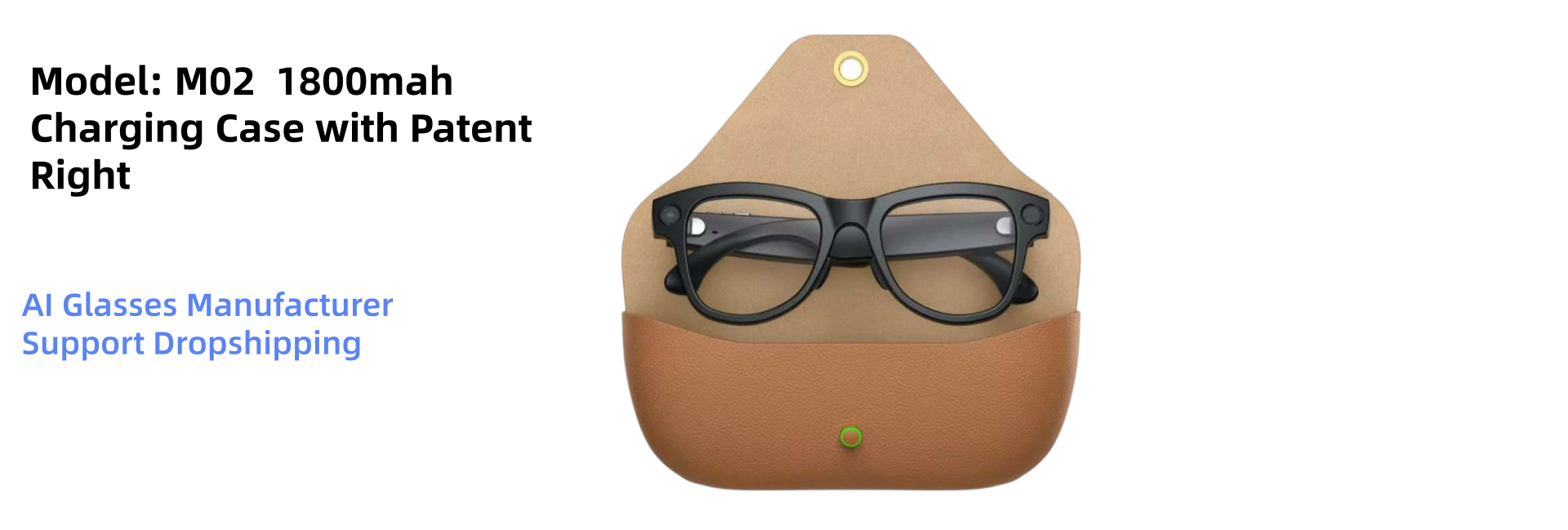
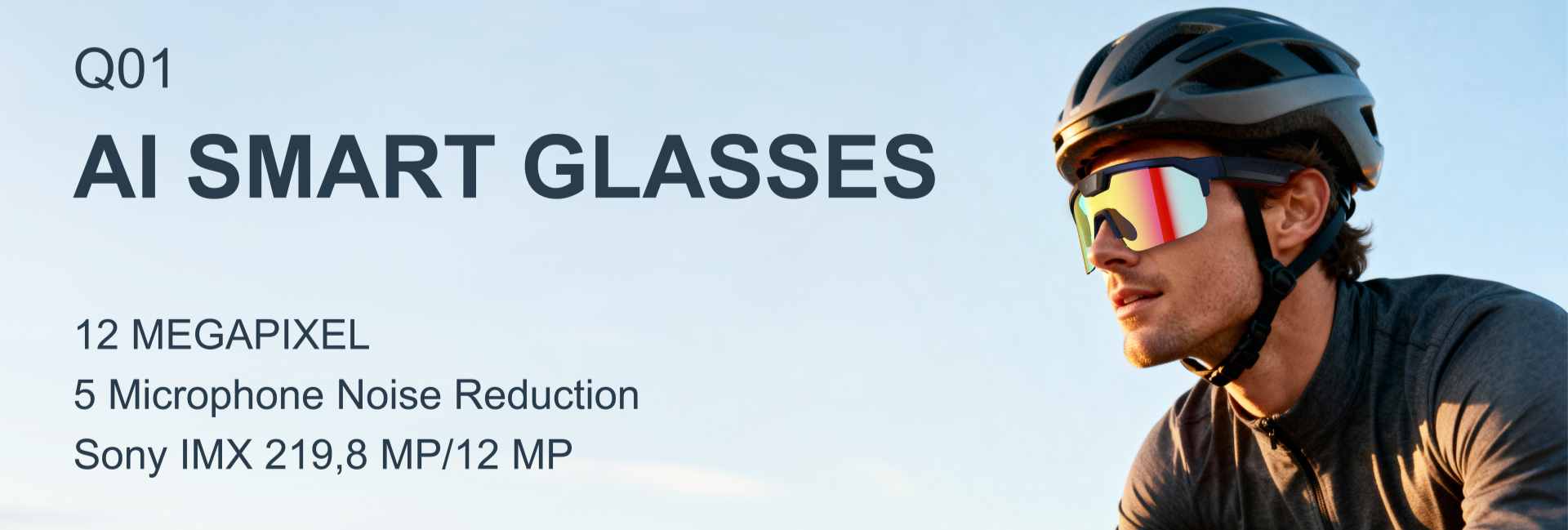
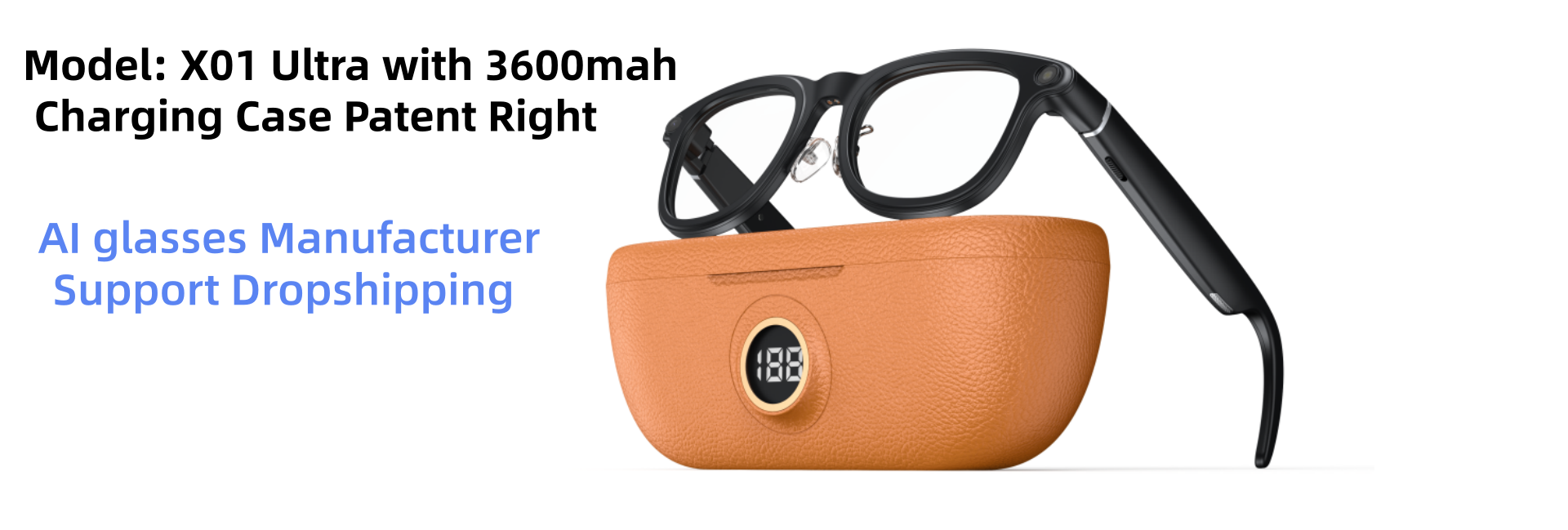
M02X AI Smart Glasses 8MP Anti-Shake
Camera eyewear with voice AI assistant, WiFi transfer and image translation — engineered for resale-ready branding.
- AI Glasses Manufacturer
- OEM / ODM
- Dropshipping Ready
Camera eyewear with voice AI assistant, WiFi transfer and image translation — engineered for resale-ready branding.
ChatGPT-class voice assistant, 40+ language translation and hands-free capture in one lightweight frame.
4K / 1080P capture, interchangeable sunglass lenses and a pocket charging case for all-day shooting.
Own-tooling platform with 8MP camera, anti-shake stabilisation and exclusive territory options for brands.
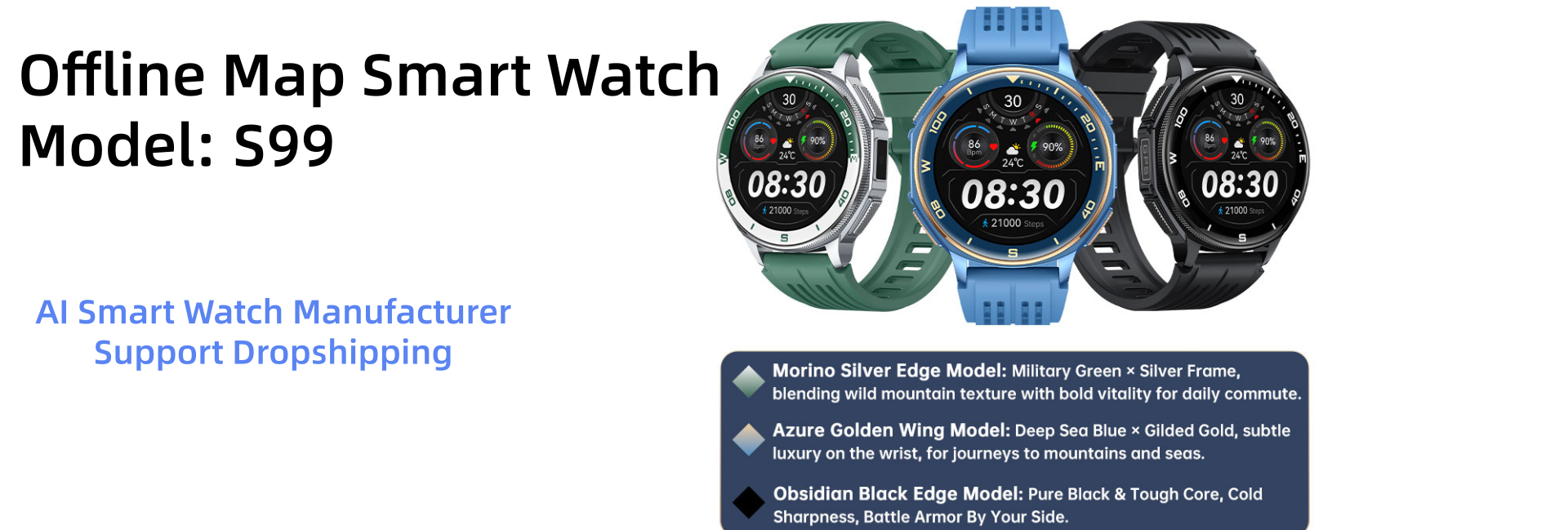
1.43" AMOLED, dual-frequency GPS, offline maps, 170 sport modes and stainless-steel build.
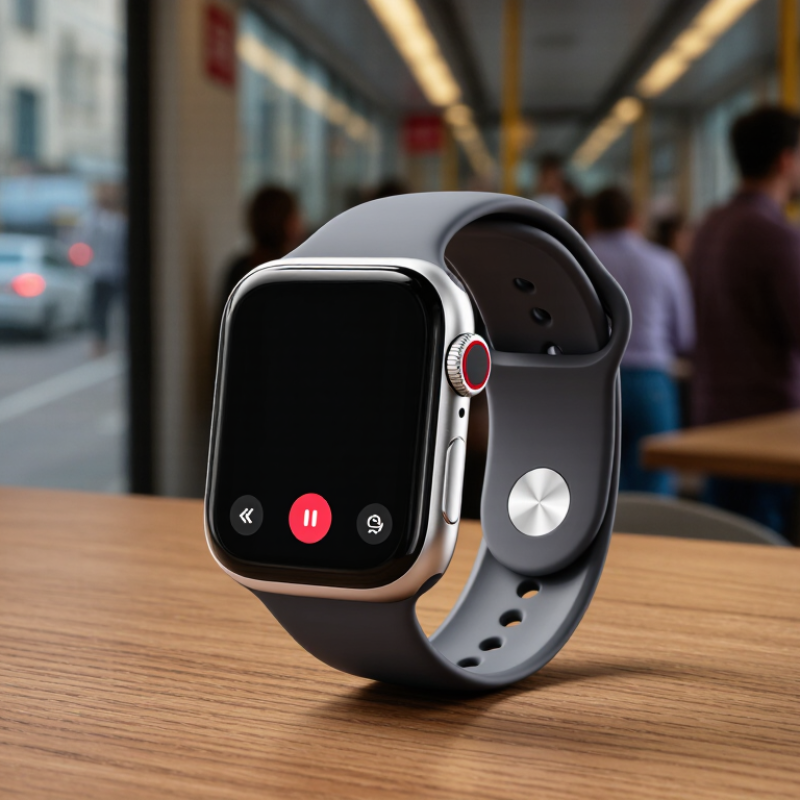
Choosing the right Bluetooth Calling Smartwatch is not about chasing the longest feature list. It is about matching technology with daily habits. I have tested watches in busy streets, quiet offices, and crowded train stations. Call quality changed sharply between these places. A clear microphone indoors could sound weak beside traffic. That small detail matters.
Ben Wood, chief analyst at CCS Insight, has said, “The best wearable technology becomes part of everyday life without demanding attention.” This idea offers a practical starting point. A useful Bluetooth Calling Smartwatch should connect quickly, keep voices understandable, and remain comfortable for several hours. Its speaker should not sound metallic. Its buttons should be easy to press while walking. These details often matter more than decorative watch faces.
Check compatibility before comparing prices. Some models work smoothly with Android phones but limit calling functions on iPhones. Review Bluetooth stability, microphone performance, battery capacity, and contact synchronization. Test whether calls continue when the watch is separated from the phone. Also inspect water resistance, warranty terms, software support, and data permissions. A lower price may hide weaker updates or poor repair support.
There is no perfect choice.
A watch with excellent calling may have average fitness tracking. Another model may offer strong health features but weak speakers. I sometimes value comfort over advanced sensors, although that decision is not universal. The best guide should acknowledge these compromises. It should help readers compare real experiences, not simply repeat specifications. This article explains the key checks, common mistakes, and practical signals that reveal whether a Bluetooth Calling Smartwatch truly deserves a place on your wrist.
Before comparing features, define how you will use a Bluetooth calling smartwatch.
IDC’s Worldwide Quarterly Wearable Device Tracker reported 537.1 million wearable-device shipments worldwide in 2024. That scale shows strong demand, but popularity does not define your personal needs. Ask where calls usually happen. A quiet office requires less microphone performance than a busy station or windy street. If you mainly receive short calls, prioritize clear audio, comfortable buttons, and reliable Bluetooth reconnection. If you need longer conversations, examine battery endurance and speaker volume. Test the watch while walking, not only while sitting at home.
Your phone also matters. Check operating-system compatibility, contact synchronization, call notifications, and permission settings before purchasing. Bluetooth SIG’s 2024 Market Update projects annual Bluetooth device shipments will reach 5.4 billion by 2028, so connection capability is expanding rapidly.
Still, newer does not always mean better for your routine. A large display may improve readability, yet it can feel heavy during sleep or exercise. A lightweight case may suit daily wear, but its speaker could sound weaker outdoors. I once underestimated microphone quality because a quiet-room demo sounded excellent. Street noise changed my opinion. That small test deserves more attention than a long feature list. Define your call duration, wearing location, phone type, and charging tolerance first. Then judge health tools, music controls, and appearance against those practical limits.
Check your phone’s operating system and version before choosing a Bluetooth calling smartwatch. Compatibility can depend on software updates, permissions, and the companion application. A watch may connect for notifications but fail during calls. That difference is easy to miss.
Look for clear support for your phone, Bluetooth calling, microphone access, speaker output, and contact synchronization. Calling requires more than ordinary Bluetooth pairing. Some devices also need permission to access contacts, call history, and the phone microphone.
Test the connection before trusting the specifications. Pair the watch in a quiet room, make a short call, and speak from different distances. Then walk behind a wall or place the phone in a bag. The voice may become delayed or unclear.
Check whether the watch supports call controls while the phone remains connected to wireless earbuds. Some models handle this poorly. Battery performance also matters because frequent calls can reduce daily operating time.
I once trusted a stated battery estimate and ignored calling usage. That assumption was wrong.
Read the compatibility notes carefully, including supported operating systems and minimum software versions. Check whether firmware updates improve call stability. Reliable testing should include incoming calls, outgoing calls, contact names, volume adjustment, and reconnecting after Bluetooth drops. Privacy permissions deserve attention too. A watch should not request unrelated access. Real-world performance may differ from laboratory claims, so leave room for doubt and test your own phone before relying on the watch during a busy day.
A Bluetooth calling smartwatch should make voices sound clear, not metallic or distant. During testing, I listen beside a quiet window and near moving traffic. Speech should remain understandable when the speaker volume reaches a comfortable level. A louder speaker is not always better. Excessive volume can create harsh, tiring sound. Check whether the watch supports stable Bluetooth connections and maintains audio when your phone is in another room. This detail is easy to overlook.
The microphone deserves equal attention. Ask someone to call while you walk outside, enter a shop, or stand beside a running fan. A reliable microphone should reduce background noise without cutting off natural speech. Small watches often struggle with wind. I once judged a microphone in a quiet room and regretted it later. Real surroundings reveal more.
Call controls should be simple under pressure. Look for clear buttons or gestures for answering, rejecting, muting, adjusting volume, and ending calls. The screen should respond quickly when your hands are wet or moving. Voice contacts can save time, but privacy matters in crowded places. Test whether the watch accidentally answers calls during exercise. Also check call history and contact syncing. Some controls feel convenient at first, yet become confusing after several days of use.
How to Choose the Best Bluetooth Calling Smartwatch?
Battery life should match your daily routine, not just the number printed on the box. A watch that lasts several days can still drain quickly during calls, GPS use, or exercise tracking. Test it during a normal week. Notice how often charging interrupts your schedule. That matters.
Comfort is equally important. Wear the watch for several hours, including during typing and sleep. The strap should feel secure without leaving red marks. A lighter case usually feels better during workouts, but it may seem less substantial. Durability also deserves close attention. Look for a clear water-resistance rating, a protected screen, and sturdy buttons. Avoid assuming that “water-resistant” means suitable for every activity.
Tips: Make a short checklist before buying. Test call clarity in a quiet room and beside a busy road. Check whether contacts, messages, alarms, and music controls work smoothly with your phone. Smart functions should save time, not create extra tapping. I once valued many health features, then used only three regularly. That was a useful correction. Read independent reviews, but compare testing conditions carefully. Battery results can change with screen brightness, call frequency, and software updates.
Comparison of representative Bluetooth-calling smartwatch profiles using practical specifications and typical everyday-use expectations.
| Watch Profile | Typical Battery Life | Bluetooth Calling | Comfort and Fit | Durability | Health and Fitness Functions | Smart Functions | Best Use Case | Overall Rating |
|---|---|---|---|---|---|---|---|---|
| Balanced Everyday Profile |
5–7 days of typical use 2–3 days with frequent calling and GPS |
Yes Built-in microphone and speaker; contact and recent-call access |
Approximately 35–45 g Lightweight aluminum or polymer case Soft silicone strap |
5 ATM water resistance Suitable for swimming and daily splashes Scratch-resistant glass |
Heart-rate tracking Sleep tracking Step counting Multiple sports modes | Notifications, alarms, music controls, weather, find-phone function, customizable watch faces | Users who want a practical mix of calling, fitness tracking, comfort, and battery life | ★★★★☆ 4.4/5 |
| Long-Battery Profile |
10–14 days of typical use About 4–6 days with frequent calling |
Yes Clear hands-free calling when connected to a smartphone |
Approximately 30–40 g Slim case and low-profile buttons Comfortable for overnight wear |
5 ATM water resistance Reinforced polymer case Designed for everyday outdoor use |
Heart-rate tracking Blood-oxygen estimates Sleep tracking Basic GPS or connected GPS | Notifications, call alerts, weather, alarms, sedentary reminders, music controls | Travelers and users who prefer fewer charging interruptions | ★★★★☆ 4.3/5 |
| Fitness and Outdoor Profile |
6–9 days of typical use 18–30 hours with continuous GPS |
Yes Hands-free calls with vibration and on-screen caller controls |
Approximately 45–65 g Larger display and secure textured strap Stable during running and hiking |
5 ATM or higher water resistance Shock-resistant case materials Higher protection against dust and outdoor impact |
Built-in GPS Heart-rate zones Elevation data Route tracking Recovery metrics | Notifications, weather, compass, route recording, workout planning, music controls | Runners, hikers, cyclists, and users who prioritize outdoor tracking | ★★★★☆ 4.5/5 |
| Premium Smart-Function Profile |
1.5–3 days of typical use Often less than 24 hours with heavy GPS and calling |
Yes Strong call controls, voice assistant support, and quick replies |
Approximately 45–60 g High-resolution display More adjustment options but a slightly heavier feel |
5 ATM water resistance Durable metal or ceramic accents Display protection varies by model |
Advanced heart-rate tracking Sleep analysis ECG availability varies Built-in GPS | App installation, voice assistant, mobile payments, navigation, rich notifications, media controls | Users who value apps, productivity, voice features, and a phone-like experience | ★★★★☆ 4.2/5 |
| Slim Comfort Profile |
4–6 days of typical use Approximately 2–3 days with frequent calls |
Yes Suitable for short calls and notification-based communication |
Approximately 25–35 g Narrow case and lightweight strap Especially comfortable for smaller wrists |
3–5 ATM water resistance Suitable for rain, hand washing, and light swimming when rated accordingly |
Heart-rate tracking Sleep tracking Step counting Basic workout modes | Notifications, alarms, weather, music controls, camera shutter, find-phone function | Office workers and users who prioritize light weight and all-day comfort | ★★★★☆ 4.1/5 |
| Value Calling Profile |
3–5 days of typical use About 1–2 days with frequent calling |
Yes Basic speaker and microphone; phone connection required |
Approximately 35–50 g Polymer case and silicone strap Comfort depends strongly on strap adjustment |
Usually IP-rated or 3 ATM water resistance Suitable for everyday splashes; swimming suitability must be confirmed |
Heart-rate tracking Step counting Sleep tracking Basic sports modes | Notifications, alarms, weather, music controls, sedentary reminders | First-time buyers who mainly need Bluetooth calling and basic notifications | ★★★☆☆ 3.8/5 |

Selection guide: Choose a long-battery profile for travel, a fitness and outdoor profile for GPS activities, a premium smart-function profile for apps and voice tools, or a slim comfort profile for lightweight daily wear. Actual battery life depends on display brightness, call duration, GPS use, notifications, temperature, and smartphone compatibility.
How to Choose the Best Bluetooth Calling Smartwatch?
Budget should guide your first decision, but long-term value matters more than a low checkout price. A reliable Bluetooth calling smartwatch needs a clear microphone, strong speaker volume, stable phone connectivity, and comfortable all-day wear. Check battery claims carefully. A watch lasting five days on paper may last only two with calls, GPS, and health tracking enabled. Counterpoint Research reported that global smartwatch shipments declined 7% in 2024. This suggests consumers are becoming more selective, not simply buying the newest model.
For a modest budget, prioritize call quality, battery replacement options, software support, and water resistance. Avoid paying extra for health features you will not use. A bright screen is useful outdoors, but it can drain the battery quickly. I have found that physical controls are easier during a wet commute, although touchscreens look cleaner. That trade-off is easy to overlook. Over several years, durable materials and continued security updates can save more money than an impressive feature list.
Tips: Compare the total cost over three years. Add accessories, repairs, and possible phone compatibility limits. Read independent microphone tests, not only product specifications. Ask whether the watch supports emergency contacts and call controls in your region. IDC’s wearable market reports show continued demand for connected devices, but demand alone does not guarantee lasting value. Choose the model that fits your daily habits, not your imagined lifestyle.
Choose according to both your budget and the value you expect over several years. The benchmark below compares common market tiers using practical criteria: Bluetooth calling capability, battery endurance, health features, durability, and long-term value.
How to read the chart: Entry-level models usually cover essential calling and notification needs at the lowest cost. Mid-range models generally provide a stronger balance of battery life, health tracking, durability, and price. Premium models tend to offer the most complete feature sets and materials, but their higher upfront price does not always produce the best long-term value.
Consider where you usually take calls. A quiet office needs less microphone power than a windy street. Decide your typical call length, wearing location, phone type, and charging tolerance. Test the watch while walking. Sitting at home can hide problems.
No. Check the phone’s operating system, software version, permissions, and companion application. A watch may receive notifications but fail during calls. Confirm microphone access, speaker output, contact syncing, and call controls. Compatibility is not always obvious.
Pair the watch in a quiet room and make a short call. Speak from different distances. Then walk behind a wall or place the phone inside a bag. Listen for delay, distortion, or sudden disconnection. Test incoming and outgoing calls.
Yes. Walls, bags, and crowded spaces can weaken the connection. Keep the phone nearby during calls. Try walking several steps away. Small tests reveal more than polished specifications.
It is very important near traffic, stations, or strong wind. A quiet-room demonstration may sound excellent. Street noise can change your opinion quickly. I once trusted an indoor test too much. That judgment needed correction.
Compare battery performance with your real routine. Calls, GPS, exercise tracking, and bright screens can drain power faster. Test the watch for one normal week. Notice charging interruptions. Several advertised days may become much fewer. That matters.
Wear the watch for several hours, including typing and sleeping. The strap should stay secure without leaving red marks. Check the case weight, screen protection, buttons, and water-resistance rating. Water-resistant does not mean suitable for every activity.
Choose functions that reduce phone handling. Contacts, messages, alarms, music controls, and health tools should work smoothly. A long feature list can become extra tapping. I once valued many health features and regularly used only three. Not always useful.
Read compatibility notes, minimum software versions, and update information carefully. Compare independent reviews with similar testing conditions. Battery results change with brightness, call frequency, and software updates. Leave room for doubt. Test your own phone before relying on the watch.
Choosing the best Bluetooth Calling Smartwatch starts with understanding your daily needs. Consider whether you mainly want convenient wrist calls, fitness tracking, notifications, navigation, or a combination of smart functions. Before buying, check that the watch is compatible with your phone’s operating system and supports the calling features you require. Pay close attention to Bluetooth stability, speaker clarity, microphone performance, call controls, and whether contacts or recent calls can be accessed easily.
You should also compare battery life, charging time, comfort, water resistance, and overall durability for reliable everyday use. A lightweight design and responsive interface can make frequent use more enjoyable, while useful features such as health tracking, alarms, music control, and message notifications may add long-term value. Finally, compare models within your budget and consider software support, build quality, warranty coverage, and practical performance rather than choosing based only on appearance. The right Bluetooth Calling Smartwatch should provide dependable communication, useful functions, and lasting value.